The SimPilot World platform

Your logbook is only the start.

ACARS records the flight and turns it into a PIREP. That result stays with your pilot, supports career progress and updates the aircraft and companies involved in the operation.

Fly
Track
PIREP
Progress
After you land

Each PIREP stays part of your career.

Your flights contribute to one pilot record, even when you change aircraft, airline or simulator.

Pilot career

Flight hours, XP, Safety Rating, Prestige Points and certifications determine how your rank develops.

Two career modes

Professional uses structured certification progress. Arcade gives quicker access to airliners, with lower SPC and PR rewards on contracted flights.

Certifications

Use practice flights to prepare, then pass a scored examination to qualify for more aircraft.

Airline contracts

Review offers, sign with an airline and fly schedules suited to the qualifications you hold.

Awards and milestones

First flights, accepted PIREPs, certifications, promotions and other achievements remain on your record.

Shared economy

Pilot and AI operations affect aircraft, airlines, airports and fuel providers through traffic, demand and ownership.

Career modes

Choose the level of structure you want.

Professional mode starts in general aviation and uses certifications to open up airline flying. Arcade is available for pilots who prefer quicker access to airliners.

Professional certification-led progression Faster airliner access in Arcade XP and SR matter in both modes
SimPilot World Professional and Arcade career mode selection
Your active career mode is always shown on the platform.
Flight history

Your logbook shows how far you have come.

Review the airports and aircraft you have flown, along with flight time, distance, landing performance and rewards for each PIREP.
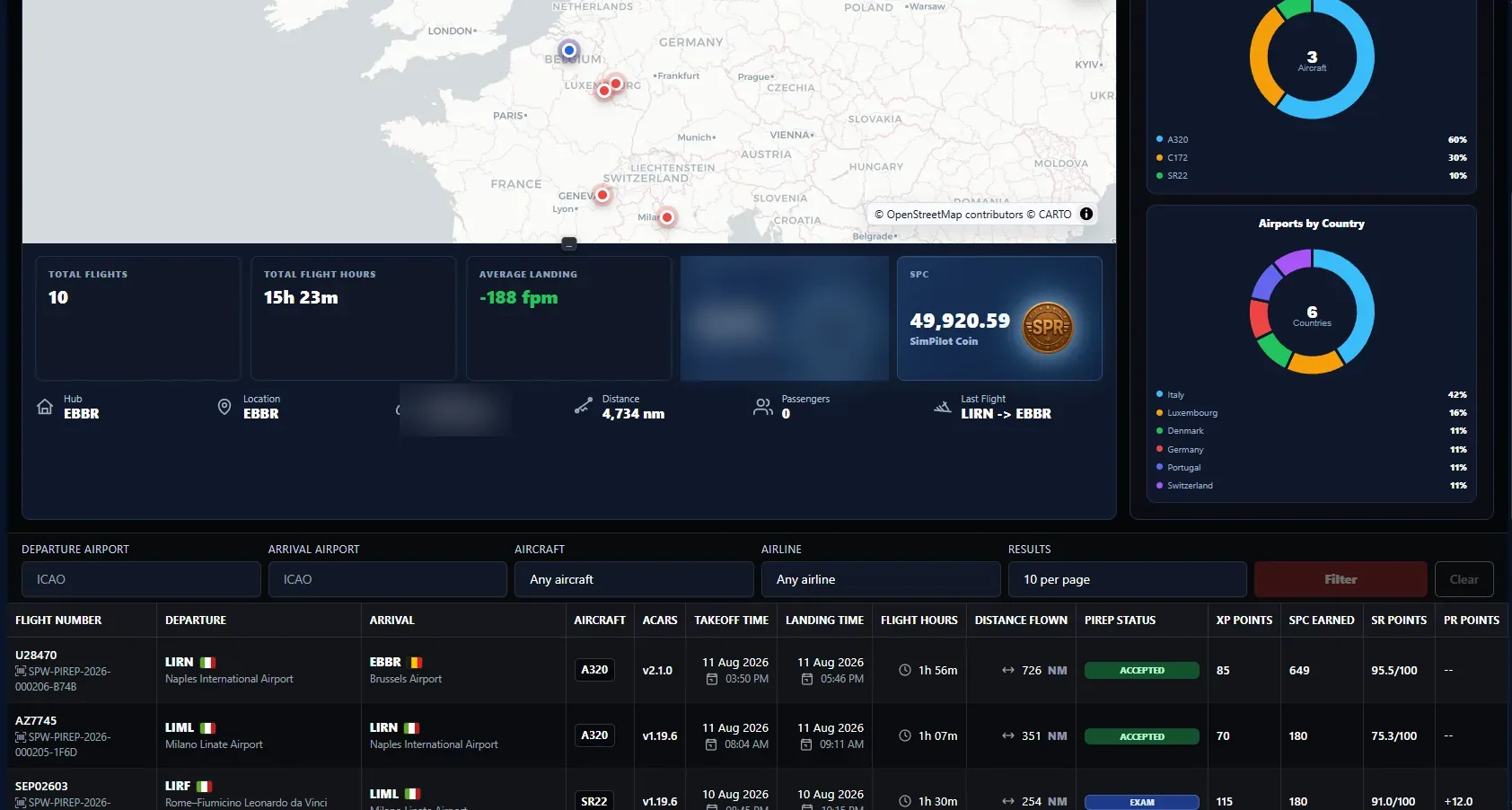
SimPilot World logbook, visited airport map and PIREP history
Search your flight records, review career statistics and open any permanent PIREP reference.
PIREP evaluation

See how every point was scored.

SimPilot ACARS records the flight, while the platform keeps the telemetry, detected events and route used for evaluation. The reasons behind the result remain visible.
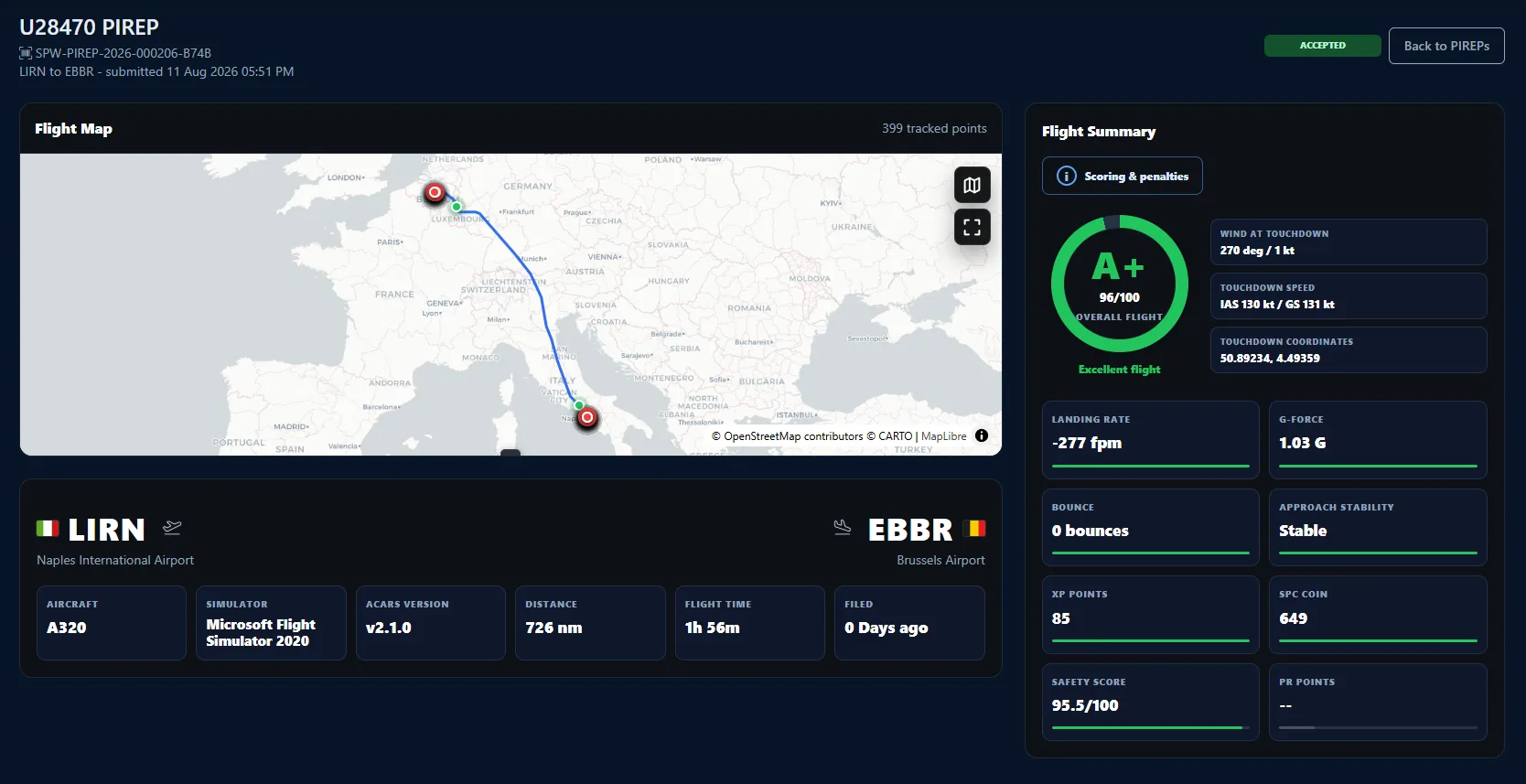
Accepted SimPilot World PIREP flight summary
Route, aircraft, simulator, ACARS version, flight time, landing data, XP, SPC, SR and PR.

What a PIREP records

  • A permanent public reference and submission status.
  • The tracked route, departure, arrival and operating aircraft.
  • Flight time, distance, touchdown, landing rate and G-force.
  • Operational events, bounces, stability and Safety Rating.
  • XP, SPC and any qualifying Prestige Point rewards.
  • Review notes and the certification result, when applicable.

Flight acceptance and examination results are separate. A valid flight may be accepted even if the certification score is below the required pass mark.
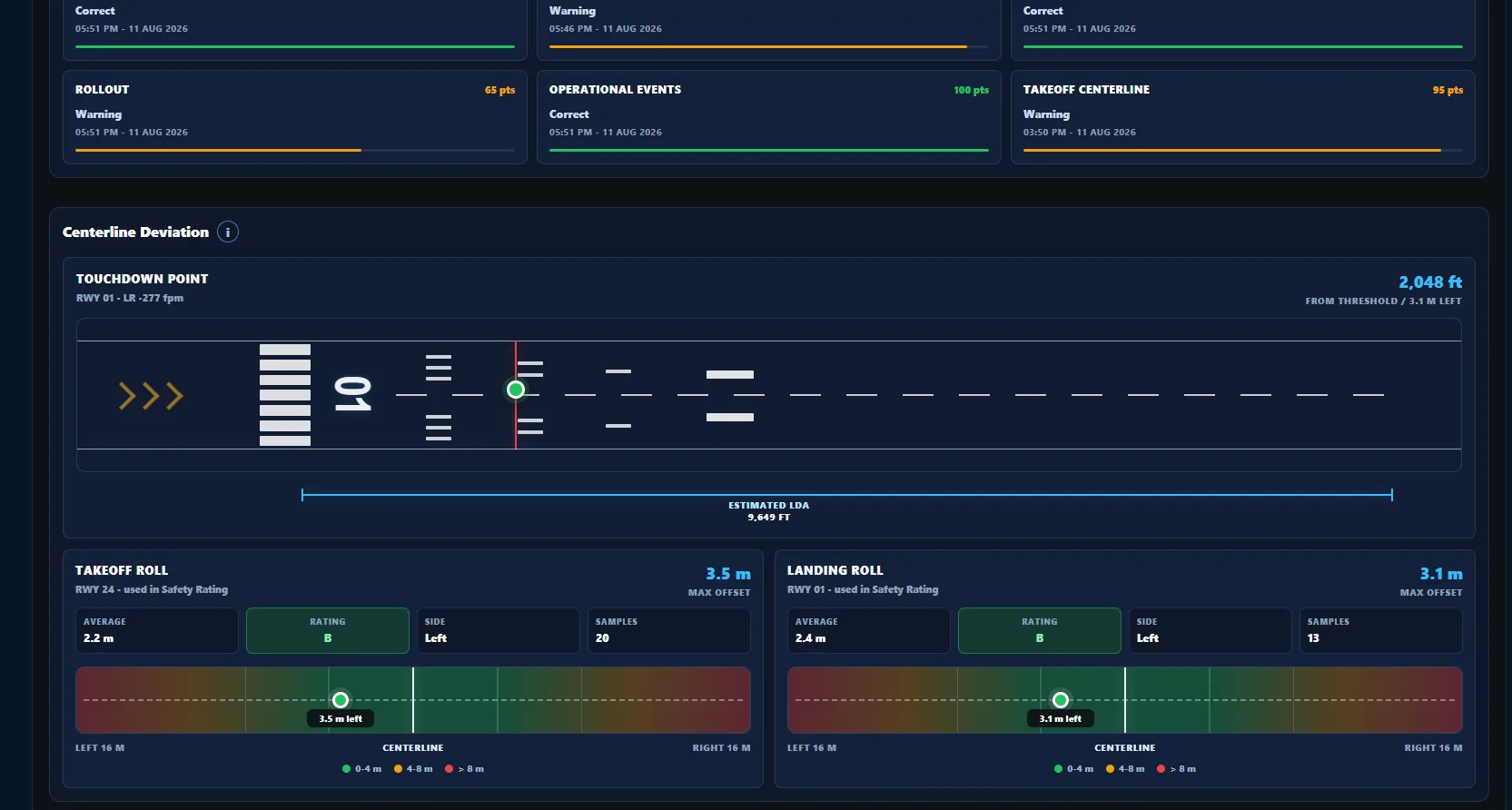
PIREP runway touchdown and centreline analysis
The detailed score covers take-off and landing centreline tracking, touchdown position and each operational category.
Achievement awards

Keep track of every milestone.

Awards mark events such as your first flight, first accepted PIREP, certifications, promotions, performance targets, airline operations and network achievements.

View your awards
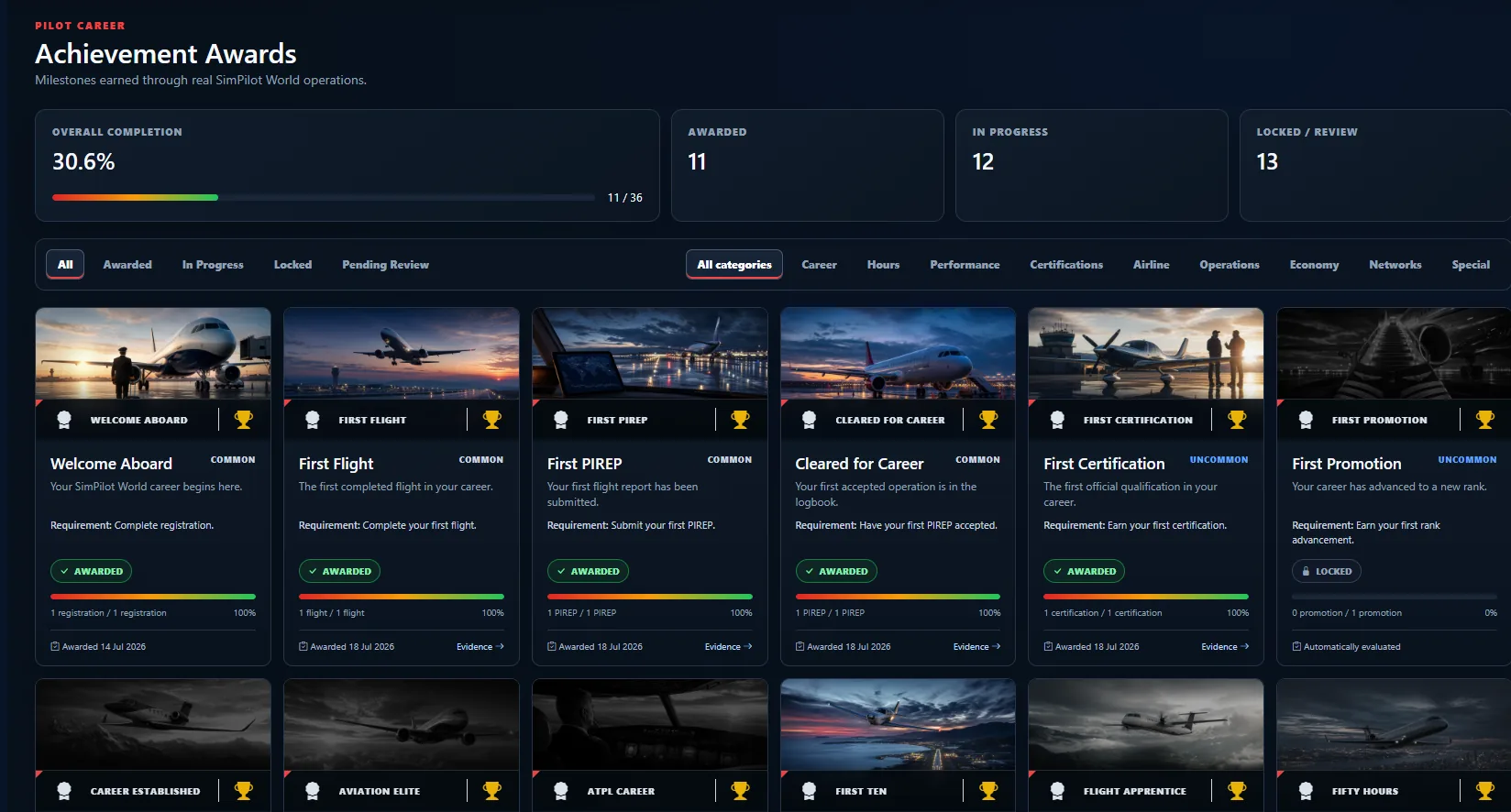
SimPilot World pilot achievement awards
See which awards you have earned, which are in progress and which remain locked.
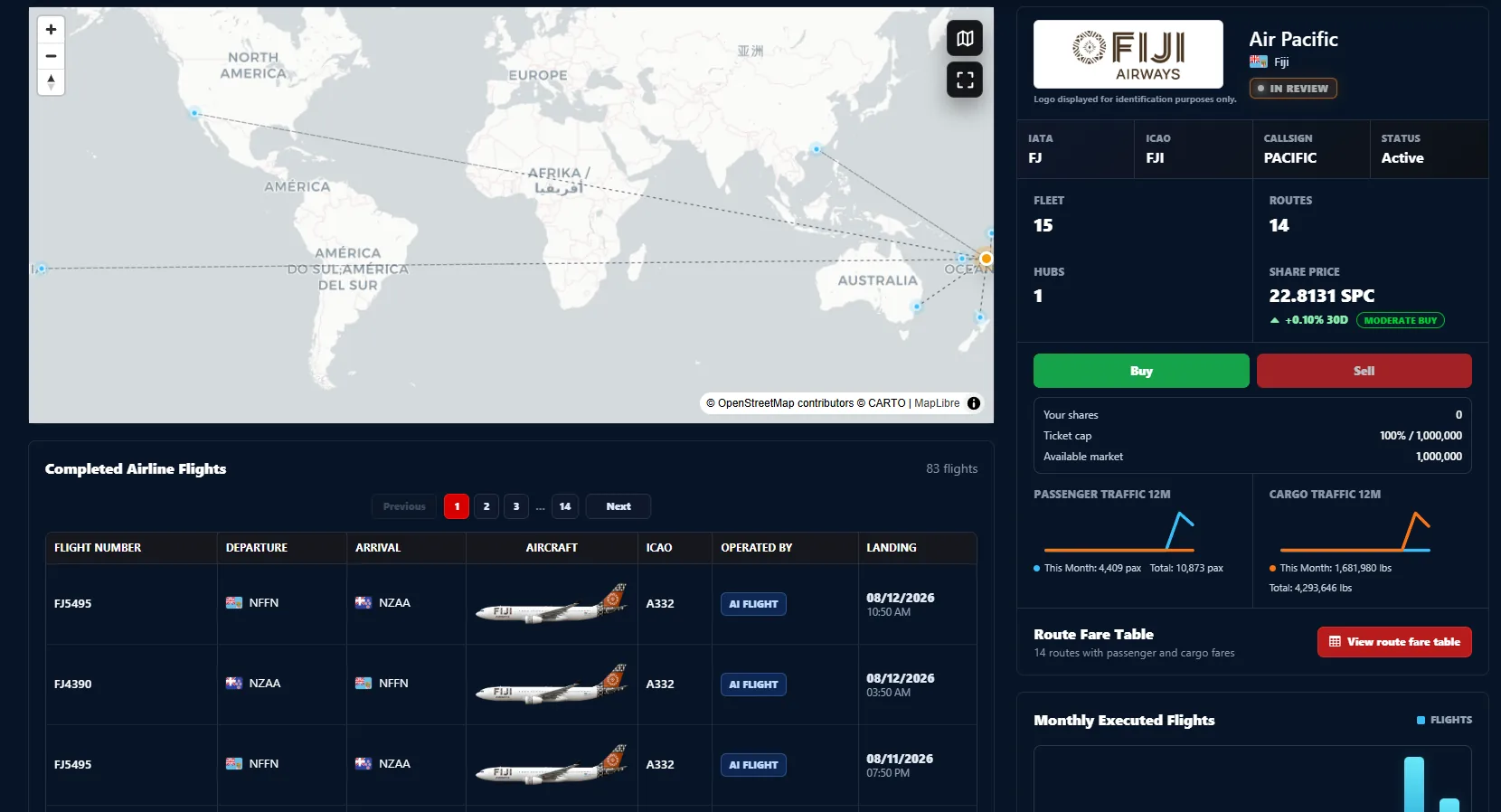
SimPilot World airline assets, fleet and route operations
Airline routes, fleets, traffic, asset prices and completed flights share the same operational data.
The shared economy

Your flights affect more than your logbook.

Flights move fleet registrations, carry passengers and cargo, consume fuel and create airport activity. Pilot and AI operations both contribute.

  • Each aircraft retains its location, condition and history.
  • An accepted PIREP moves the booked aircraft to its destination.
  • Traffic, demand and platform events can affect market assets.
  • Selected high-value career events may be recorded on Polygon.
Open the Exchange
Ready to fly?

Start building your pilot record.

Create account